
Download MagicAI Chatbots – AI‑Powered Knowledge Hub for Teams, Websites & Education
Overview
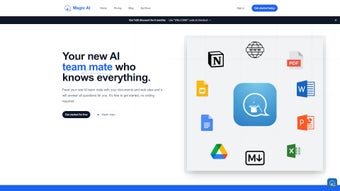
MagicAI Chatbots is a cloud‑based, no‑code AI platform designed to turn any collection of documents into a conversational knowledge assistant. Whether you manage a small‑business help desk, a university portal, or a content‑rich corporate website, the service lets you upload PDFs, Word files, Google Drive folders, Dropbox, OneDrive, Box, and even multilingual resources. Once uploaded, MagicAI automatically extracts text, creates vector embeddings, and builds a searchable chatbot that answers questions using the exact information you supplied.
The core promise of the platform is to eliminate the endless hunt for data, accelerate self‑service, and keep knowledge centralized without requiring a development team. Security is baked in: every file is encrypted both at rest (AES‑256) and in transit (TLS 1.2), and administrators have granular role‑based controls over who can view, edit, or publish each bot. A generous free tier offers up to three active bots and 5 GB of storage, while paid plans unlock higher usage limits, custom branding, advanced analytics, and priority support.
By delivering instant, accurate answers across desktop and mobile browsers, MagicAI positions itself as a scalable, secure, and user‑friendly solution for any organization that wants to harness AI to improve productivity and customer satisfaction.
Key Features That Set MagicAI Apart
MagicAI’s feature set combines breadth and depth, giving both novices and power users the tools they need to create intelligent assistants quickly. The platform’s universal file support removes the need for manual preprocessing, while the drag‑and‑drop bot builder means a non‑technical user can launch a functional chatbot in under ten minutes. Multilingual NLP, real‑time analytics, and robust security controls further differentiate the service from generic chatbot builders. Below is a detailed list of the most impactful capabilities.
- Universal File Support – Accepts PDFs, DOCX, Google Drive, Dropbox, OneDrive, Box, and many other common formats, allowing you to build a knowledge base from virtually any source.
- No‑Code Bot Builder – Drag‑and‑drop interface lets non‑technical users create, train, and deploy chatbots in minutes without writing a single line of code.
- Multi‑Language Understanding – Built‑in natural language processing (NLP) supports over 30 languages, making it ideal for global teams and multilingual websites.
- Website Integration – Embed a responsive chatbot widget on any site with a single line of JavaScript, giving visitors instant access to your documentation.
- Collaborative Workspace – Team members can share bots, assign editing rights, and track changes through an activity log that records every modification.
- Robust Security & Compliance – End‑to‑end encryption, GDPR‑ready data handling, ISO 27001 certification, and role‑based access controls keep sensitive information safe.
- Analytics Dashboard – Real‑time insights on query volume, most‑asked questions, and user satisfaction help you continuously improve content and bot performance.
- Free Tier & Flexible Pricing – Start for free with up to 5 GB of storage and three active bots; upgrade to professional plans for higher limits, custom branding, and priority support.
Installation, Usage Instructions, and Compatibility
Getting Started in Three Simple Steps
- Create an Account – Visit the MagicAI website, click “Sign Up,” and choose either the free plan or a paid subscription. Email verification is required, and you can enable two‑factor authentication for added security.
- Upload Your Content – From the dashboard, select “Add Knowledge Base.” Drag your PDFs, Word documents, or connect your cloud storage (Google Drive, Dropbox, OneDrive, Box). The platform automatically extracts text, indexes it, and creates a searchable vector representation.
- Publish Your Bot – Click “Create Bot,” give it a name, and customize its appearance. For website deployment, copy the generated script tag and paste it into the HTML footer of your site. For internal use, share the unique bot URL with your team or embed the widget in an intranet page.
Fine‑Tuning Interactions for Better Results
Once the bot is live, the “Training” tab lets you refine its behavior. You can add example questions with preferred answers, adjust confidence thresholds, and enable fallback responses that direct users to human support when the AI is uncertain. Contextual memory can be toggled to allow the bot to remember the last two user inputs, improving multi‑turn conversations. Advanced users can also upload custom synonym files or tweak the weighting of specific document sections to prioritize critical information.
Device & Operating System Compatibility
MagicAI Chatbots is a pure web service, so it works on any modern browser—Chrome, Firefox, Edge, Safari, or Opera—across Windows 10/11, macOS, Linux, as well as mobile platforms like Android 12+ and iOS 14+. The embedded widget adapts responsively, ensuring a seamless experience whether visitors are on a desktop, tablet, or smartphone. No additional software installation is required beyond a stable internet connection, and the platform automatically scales to handle high traffic volumes without manual intervention.
Pros, Cons, and Frequently Asked Questions
Pros & Cons
Like any technology, MagicAI Chatbots has strengths that make it compelling and a few limitations to consider. Below is a balanced view to help you decide if it fits your organization’s needs.
- Pros
- Intuitive, no‑code interface that anyone can master within minutes.
- Broad file‑type support eliminates the need for preprocessing or conversion.
- Multi‑language capability expands reach to global audiences.
- Robust security features meet enterprise compliance standards (GDPR, ISO 27001).
- Free tier provides a risk‑free environment to test the concept.
- Real‑time analytics give actionable insights for continuous improvement.
- Responsive widget works flawlessly on desktop and mobile browsers.
- Cons
- Performance depends on internet speed; large uploads may take several minutes.
- Advanced customization (e.g., custom NLP models or deep segmentation analytics) is limited to higher‑tier plans.
- Analytics dashboard lacks granular segmentation for very large teams.
- No on‑premises deployment option for organizations requiring isolated environments.
- Free plan caps the number of active bots and storage, which may be restrictive for growing teams.
FAQ – Your Questions Answered
Can I import data from cloud storage services other than Google Drive?
Yes. MagicAI currently integrates with Dropbox, OneDrive, and Box via OAuth. After connecting the service, you can select folders just as you would with Google Drive.
How secure is the data I upload?
All files are encrypted in transit (TLS 1.2) and at rest (AES‑256). Access is governed by role‑based permissions, and the platform complies with GDPR, CCPA, and ISO 27001 standards.
Is there a limit to how many bots I can create on the free plan?
The free tier allows up to three active bots and 5 GB of total storage. If you need more, you can upgrade to the Starter or Professional plans.
Can I customize the look of the website widget?
Absolutely. The widget offers options for colors, logo placement, welcome messages, and even custom CSS for deeper styling on paid plans.
What kind of support is available for paid subscribers?
Professional and Enterprise customers receive 24/7 priority email support, a dedicated account manager, and access to live chat during business hours. Free users have community forum access and standard email response within 48 hours.
MagicAI Chatbots delivers a compelling mix of ease‑of‑use and powerful AI capabilities. The no‑code interface makes it accessible to non‑technical staff, while the security and multilingual support satisfy enterprise requirements. Minor drawbacks like limited deep analytics and the absence of an on‑premise option keep the rating just shy of perfect, but for most businesses and educational institutions the platform offers excellent value.
Conclusion & Call to Action
If you’ve been searching for a way to turn scattered documents into a single, searchable assistant, MagicAI Chatbots provides a ready‑made solution that requires no coding, respects data privacy, and scales with your organization’s growth. The free tier lets you experiment without commitment, while paid plans unlock advanced branding, higher usage caps, and premium support. By centralizing knowledge and delivering instant answers to customers, employees, or students, you can cut support costs, boost productivity, and present a more professional front‑face to your audience. Ready to experience AI‑driven knowledge management? Download MagicAI Chatbots today and start building smarter conversations in minutes.



.png)



